QR Order · Restaurants & food trucks

Scan, order and pay from the phone

Customers scan a QR code at your truck or table, browse the menu, pay online and track their order — no app download. Your kitchen gets a live order board with sound alerts. Live at ladkabhau.com.
  • Live at ladkabhau.com
  • No app download
  • Pickup & home delivery
QR Order — Kitchen live board
No appCustomers scan a QR and order in the browser
LiveRunning every day at ladkabhau.com
GPSKnows who is at the truck and who orders from home
UPIOnline payment — UPI, cards and wallets
See it in action

Real screens — customer app and kitchen panel

Real screens shown with demo or test data.
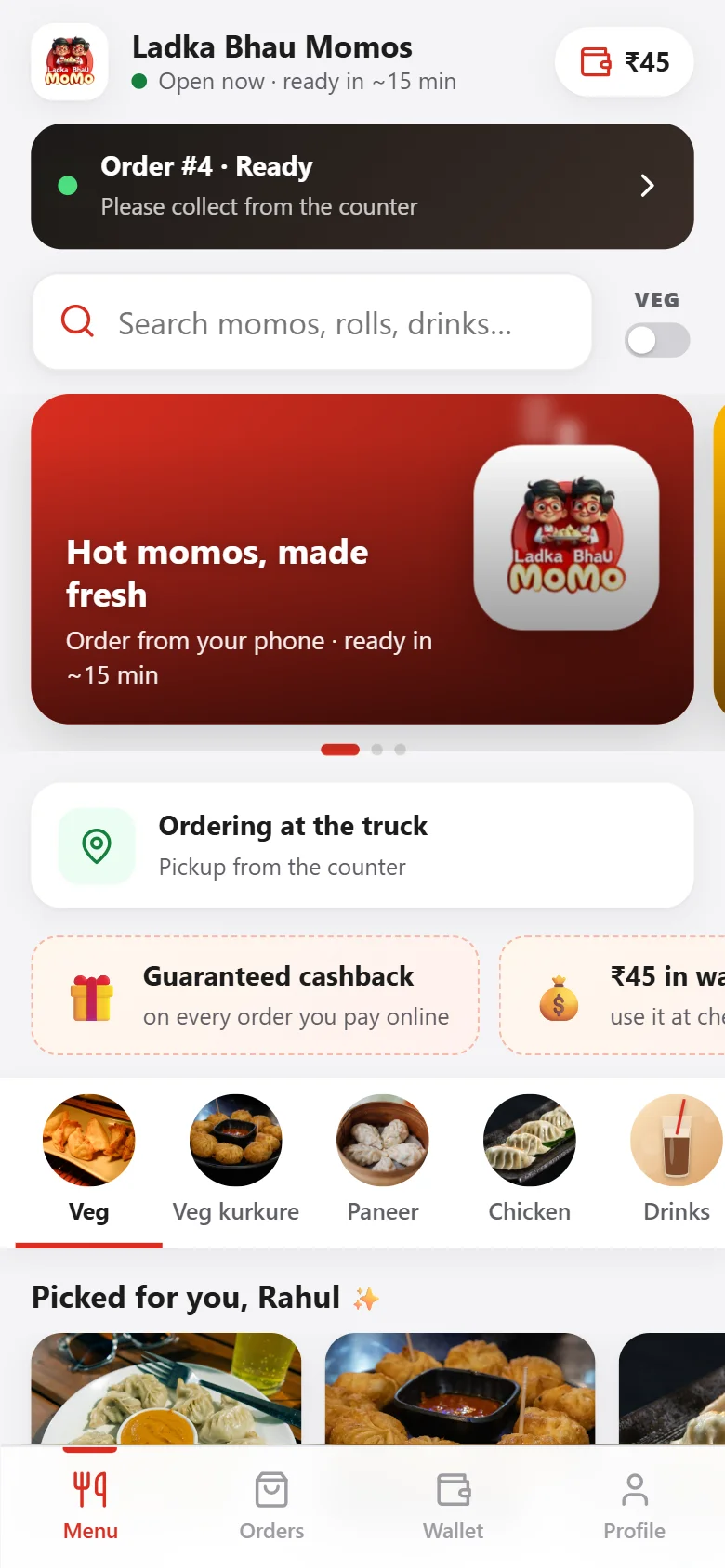
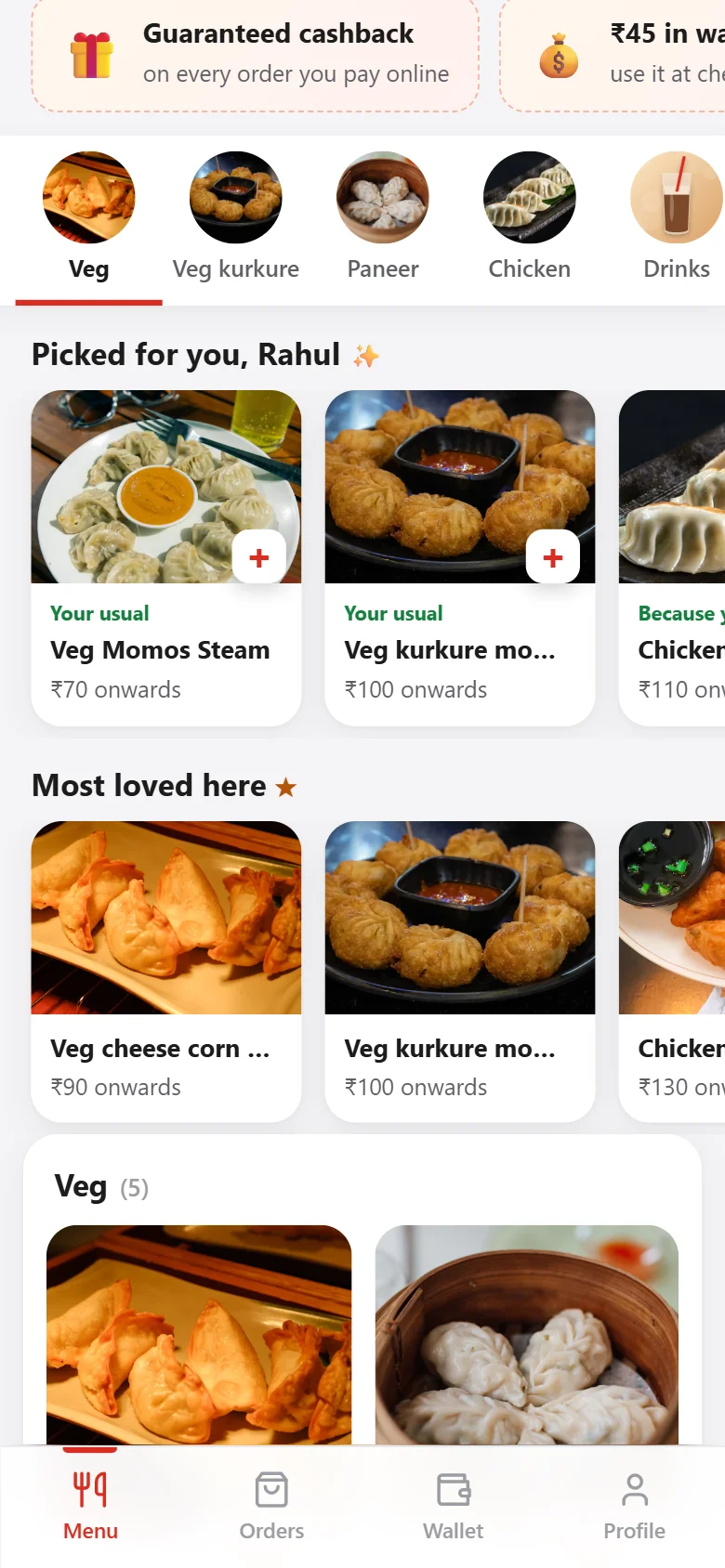
QR Order — Menu
MenuOffers, order status, wallet balance, veg filter and categories.
QR Order — Picked for you
Picked for youPersonal suggestions from order history and the most-loved dishes.
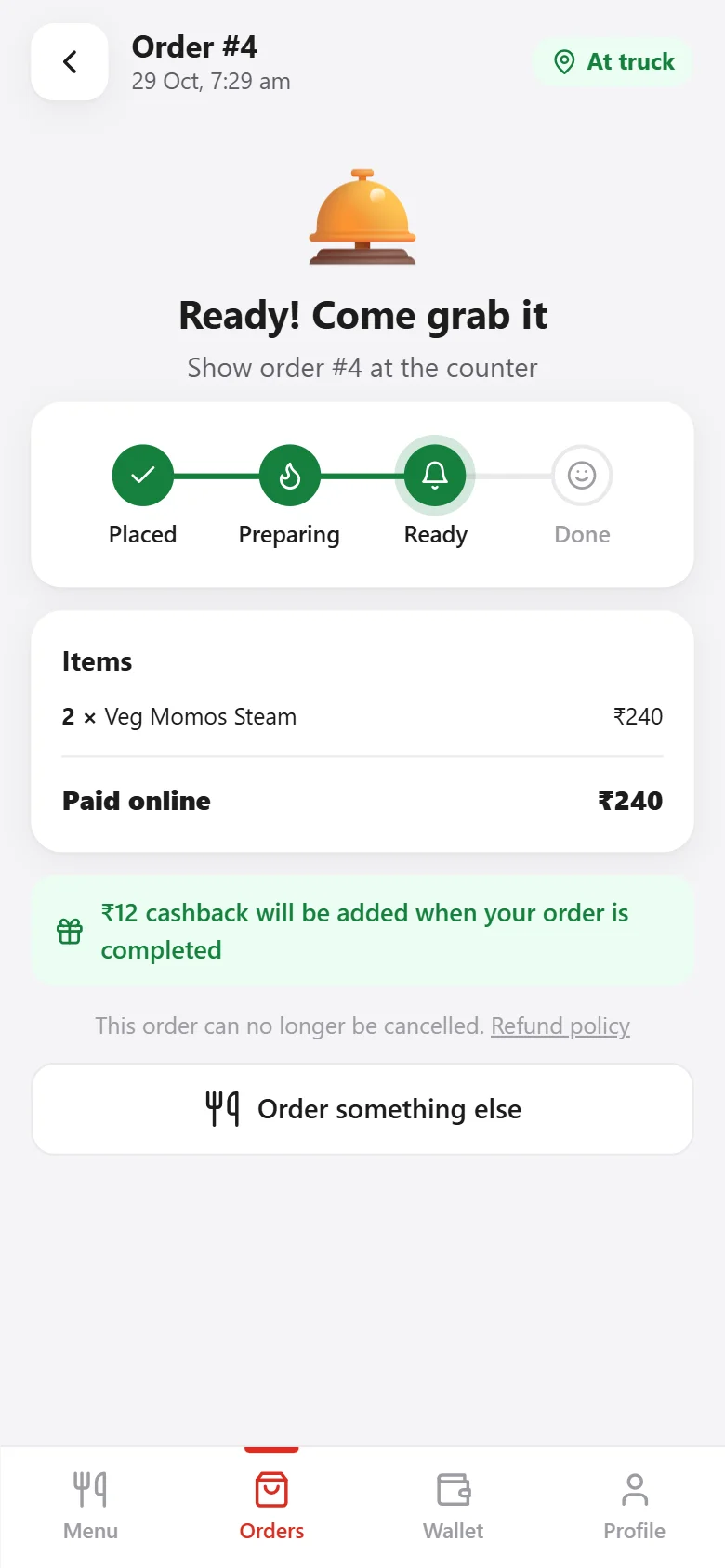
QR Order — Live order tracking
Live order trackingPlaced → Preparing → Ready → Done, with cashback shown.
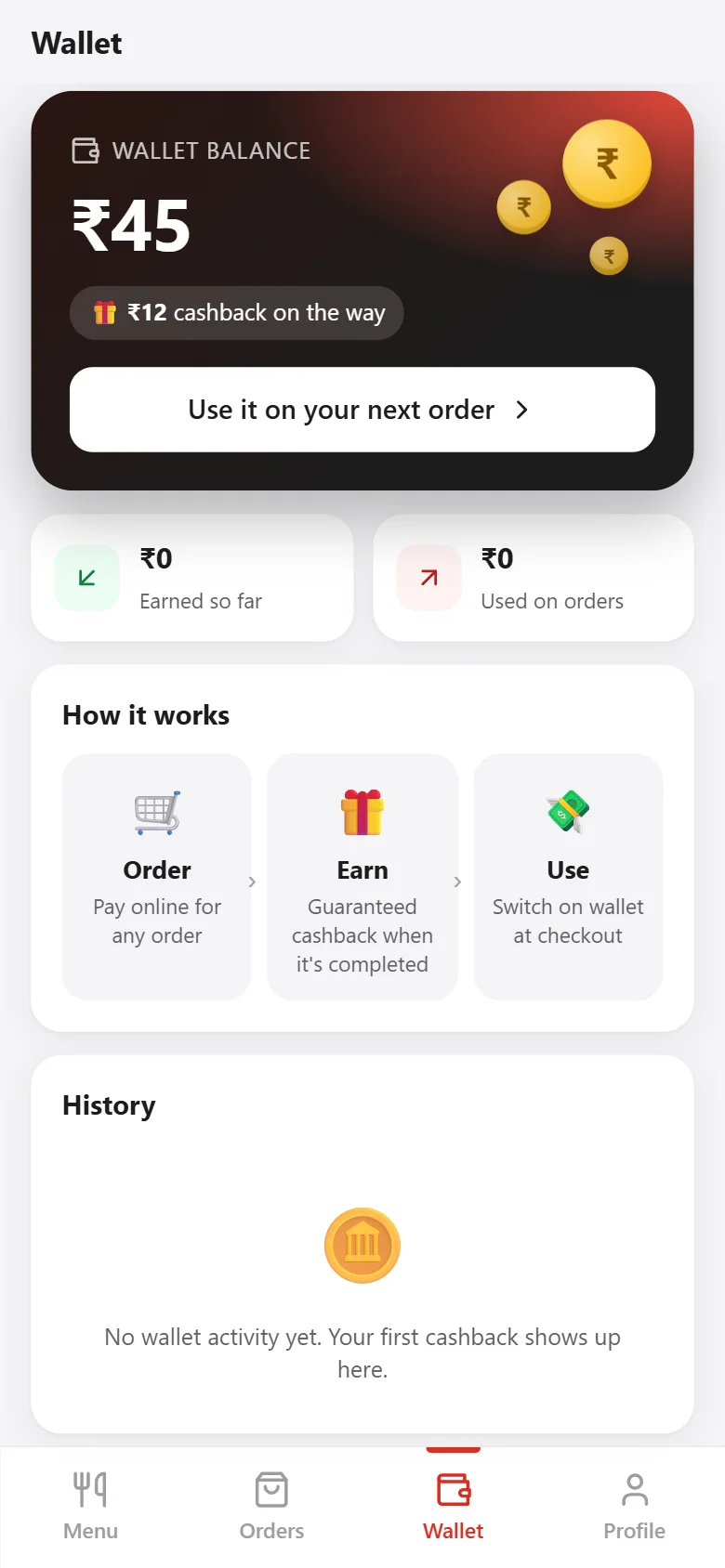
QR Order — Cashback wallet
Cashback walletGuaranteed cashback on online orders, used at checkout.
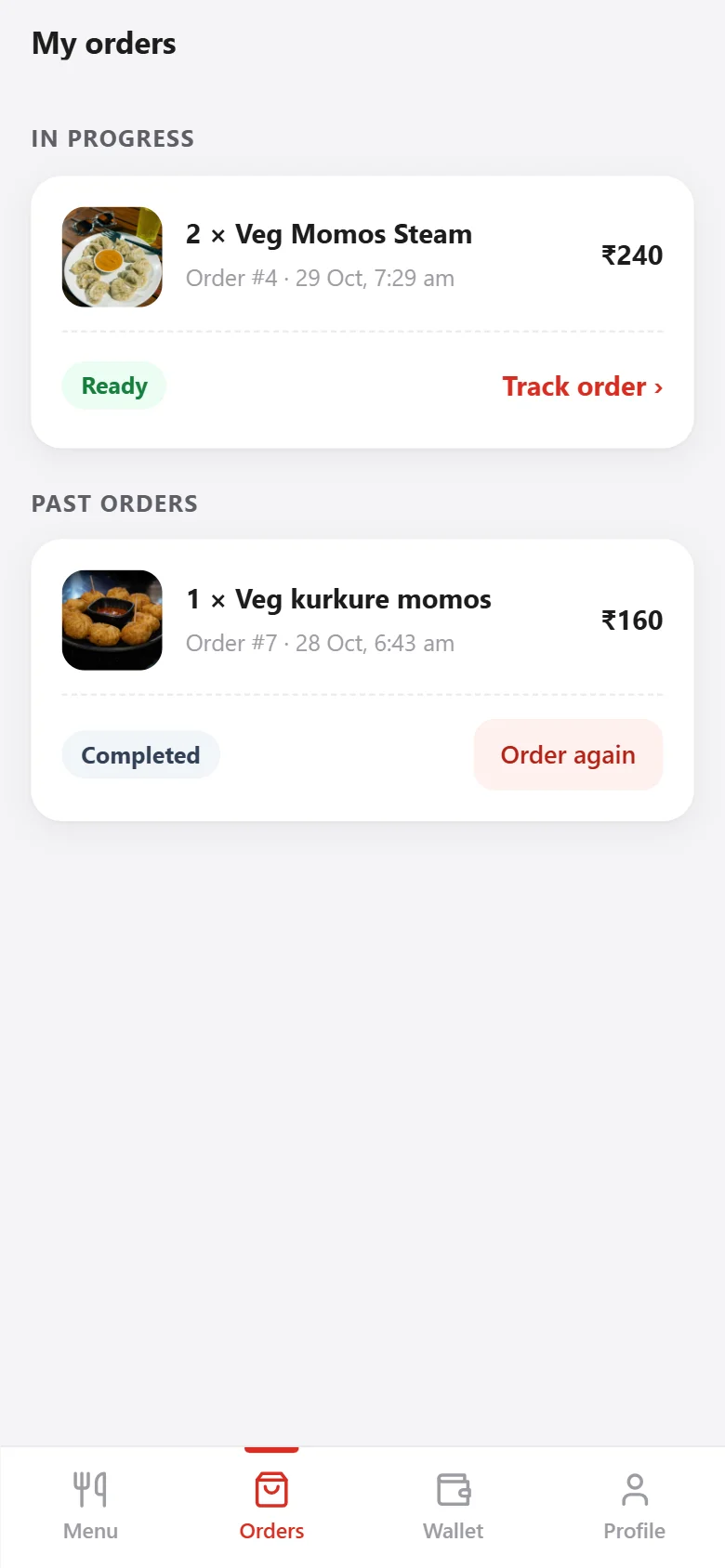
QR Order — My orders
My ordersOrders in progress and past orders with one-tap re-order.
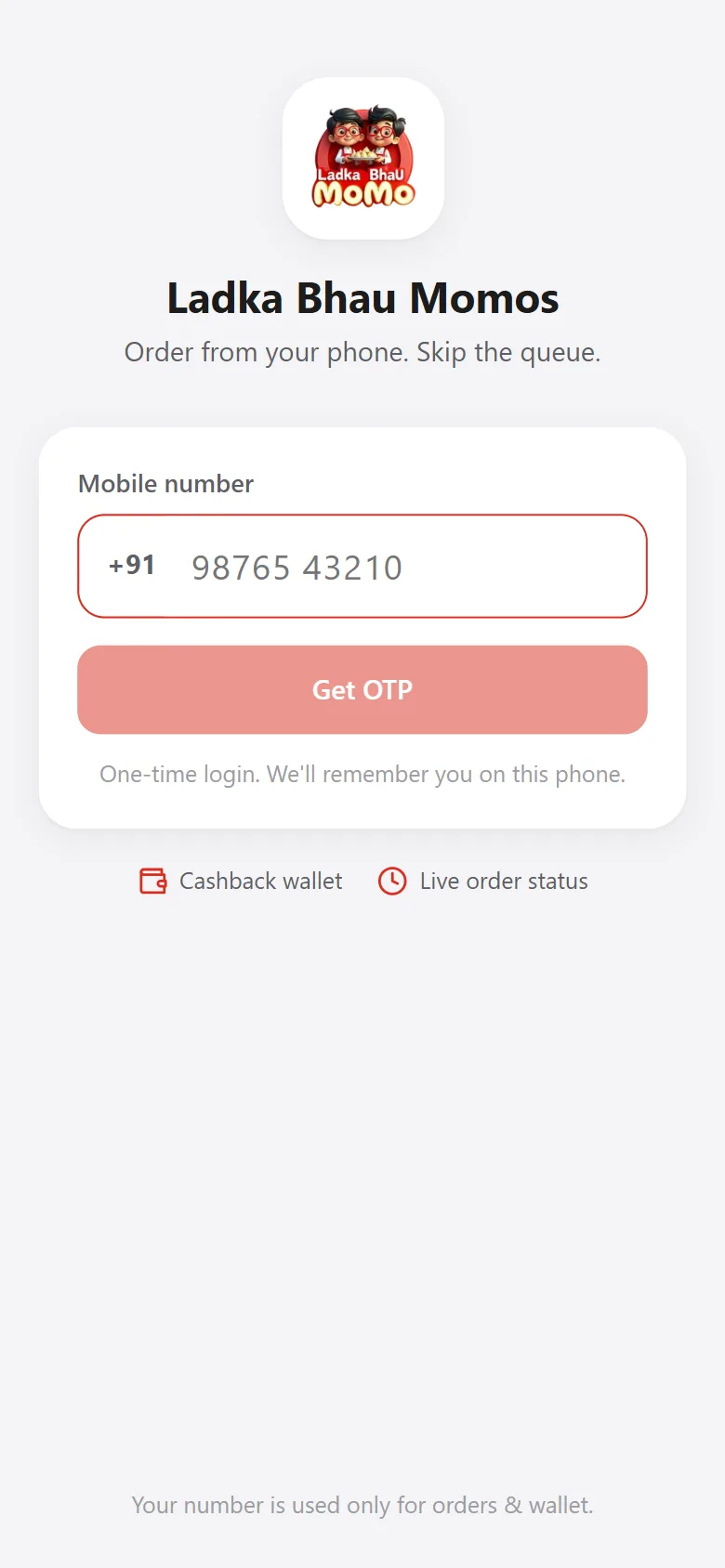
QR Order — One-time login
One-time loginMobile number + OTP — the phone is remembered next time.

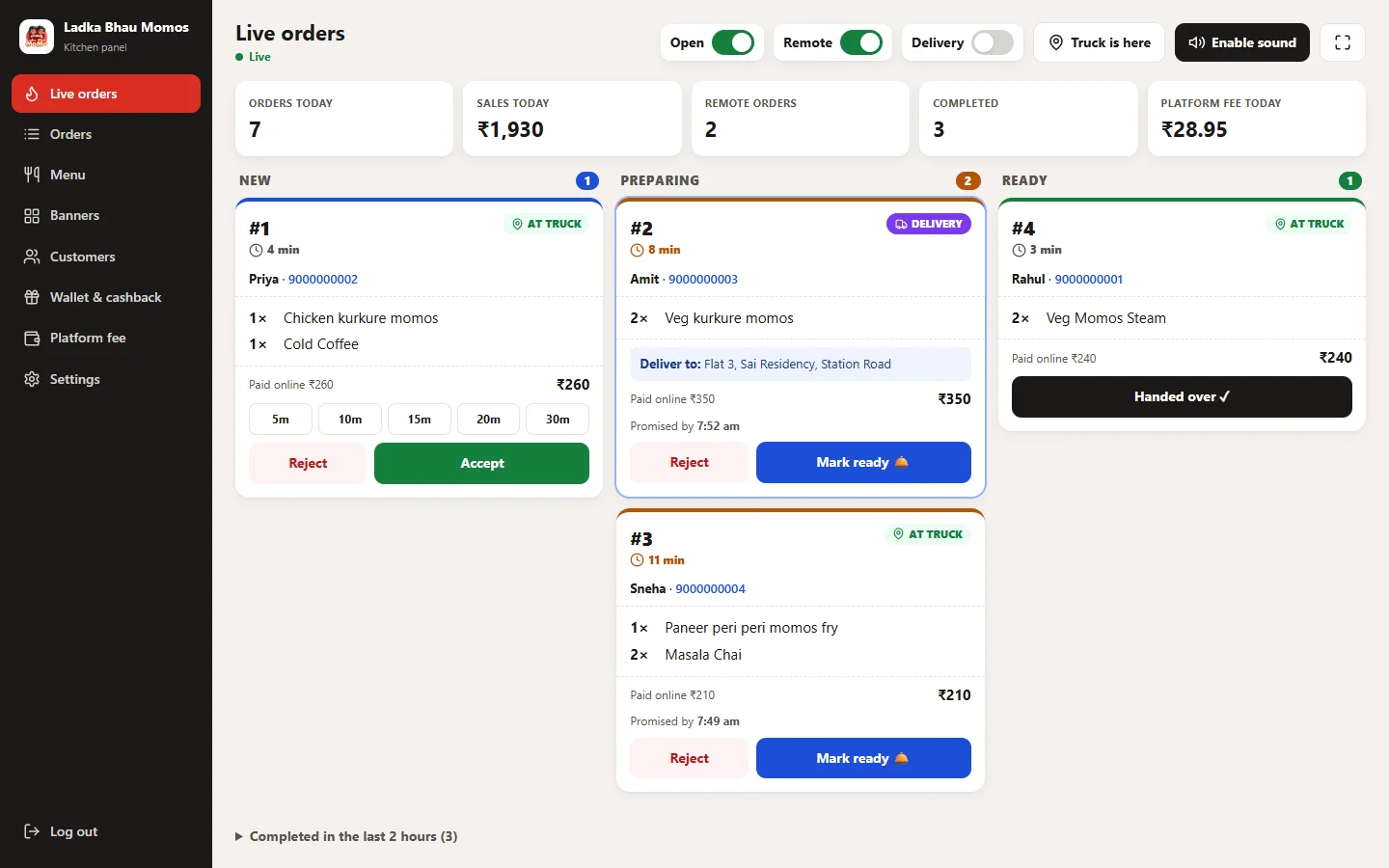
Kitchen live board. New, preparing and ready orders in real time — accept with a prep time, mark ready, hand over.

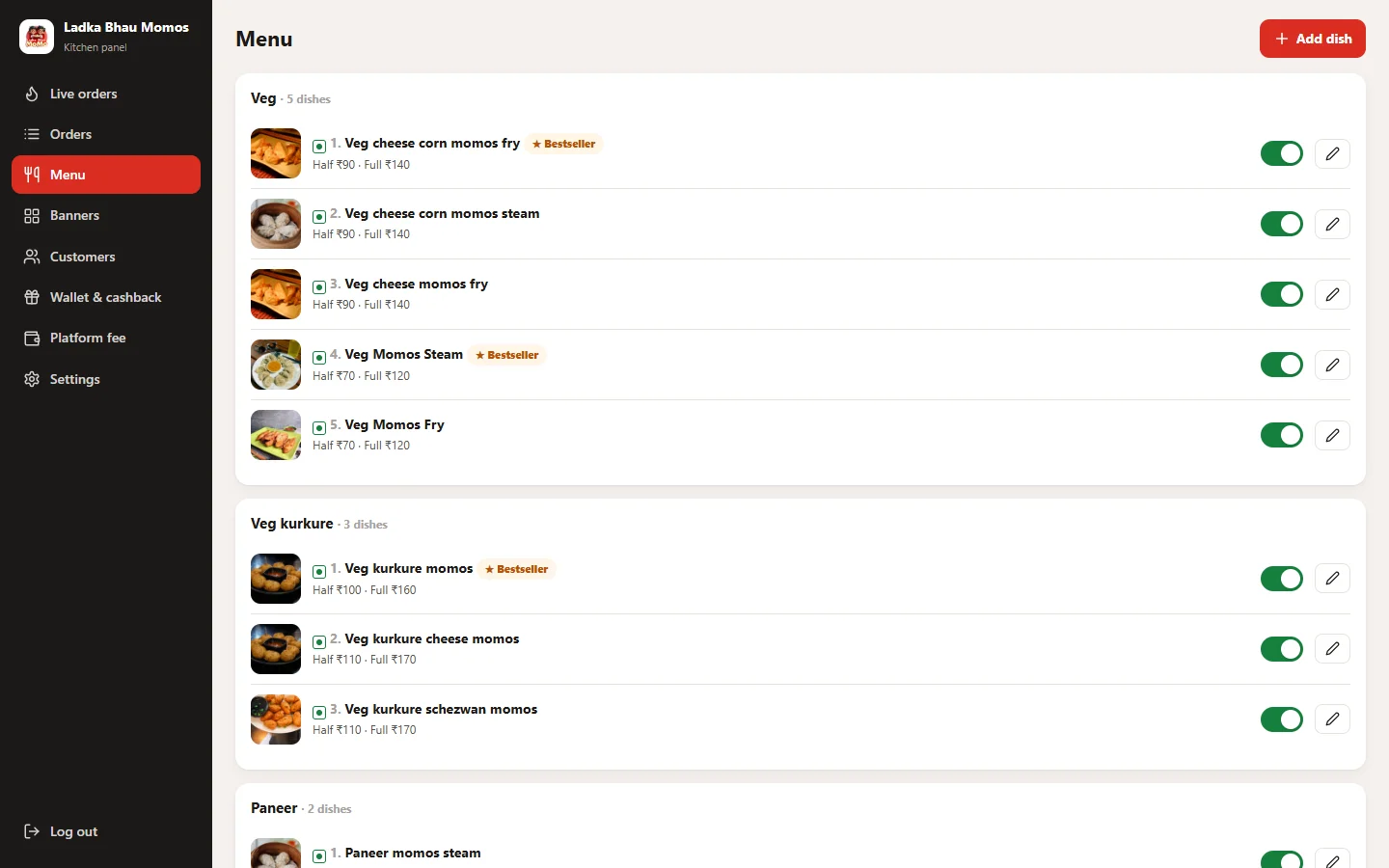
Menu management. Categories, dishes with photos, half / full prices, veg tags, bestsellers and on/off switches.

Features

Everything QR Order does for you

Every feature below is available in the software today.

QR menu & ordering

  • Scan a QR — no app download
  • Search, veg filter and categories
  • Half / full portions and bestseller tags
  • Offer banners carousel

Smart suggestions

  • “Picked for you” from each customer’s history
  • “Most loved here” and trending by time of day
  • People who order X also order Y
  • One-tap re-order

Location-based ordering

  • GPS tells on-site orders from remote orders
  • Set the order radius around your truck
  • “Truck is here” button to move the truck pin
  • Orders blocked outside your range

Home delivery

  • Turn delivery on or off any time
  • Delivery fee per order
  • Saved delivery addresses
  • Order for someone else with their contact

Online payments

  • Razorpay checkout — UPI, cards, wallets
  • Payment verified by the server and webhooks
  • Refunds back online or to the wallet
  • Unpaid orders cleaned up automatically

Cashback wallet

  • Guaranteed cashback % with a cap per order
  • Credited when the order is completed
  • Use the wallet at checkout
  • Wallet history and admin adjustments

Live order tracking

  • Placed → Preparing → Ready → Done
  • Estimated ready time
  • Cancel before the kitchen accepts
  • Rating, feedback and Google review link

Kitchen live board

  • Real-time new orders with sound alerts
  • Accept with prep time (5–30 min) or reject with refund
  • Mark ready and hand over
  • Open / closed, remote and delivery switches
  • Full-screen mode for the kitchen screen

Menu & banners

  • Categories and dishes with photos
  • Half / full prices, veg / non-veg
  • Bestseller tags and on/off toggles
  • Offer banners you can switch on and off

Customers & reports

  • Orders today, sales, remote and completed counts
  • Order history with filters
  • Customer list
  • Cashback and reward settings

One-time login

  • Mobile number + OTP — no passwords
  • Phone remembered for next time
  • Customer name called out when the order is ready

Fast & secure

  • Lightweight pages that load fast on mobile data
  • Payment and SMS keys stored encrypted
  • Correct Indian time (IST) on every order
  • Installable on the home screen (PWA)
Who it's for

Perfect for food businesses

  • Food trucks
  • Restaurants & cafés
  • Momos & snack stalls
  • Cloud kitchens
  • College & office canteens
  • Tea, juice & dessert counters
Getting started

Up and running in 4 simple steps

  1. 01

    We set up your menu

    Your dishes, prices, photos and offer banners — ready on your own web address.

  2. 02

    Print your QR code

    Stick it on the truck, tables or counter. Customers scan and order instantly.

  3. 03

    Kitchen gets orders live

    Orders pop up on the live board with sound — accept, prepare, mark ready.

  4. 04

    Customers come back

    Cashback wallet, personal suggestions and one-tap re-order bring repeat orders.

FAQ

Questions about QR Order

Do customers need to download an app?

No. They scan the QR code and order in the phone’s browser. They can also add it to their home screen like an app.

How do customers log in?

With their mobile number and a one-time code (OTP). The phone is remembered, so regular customers order in a few taps.

How are payments collected?

Online through Razorpay — UPI, cards and wallets. Payments are verified by the server, and refunds can go back online or to the customer’s wallet.

Can we offer home delivery?

Yes. Switch delivery on, set a delivery fee and the maximum distance. Customers enter or pick a saved address at checkout.

How does the kitchen know about new orders?

The live board shows new orders instantly with a sound alert. Staff accept with a prep time, mark the order ready and hand it over — the customer sees every step.

Can we change the menu ourselves?

Yes. Add or edit dishes, photos, prices and categories, mark bestsellers and switch items off when they run out — from the admin panel.

Free demo

Get QR ordering for your business

Tell us about your restaurant or food truck — we’ll show you a live demo and set up your menu.

  • Live walkthrough of every screen
  • Setup, data transfer and training included
  • Reply within 1 working day

Get QR ordering for your business

Tell us about your restaurant or food truck.
Your details are safe with us. We reply within 1 working day — usually much sooner.

Chat on WhatsApp